Everything You Need to Know About Deleting Your Snapchat Account - Deleting Snapchat account without password
Everything You Need to Know About Deleting Your Snapchat Account
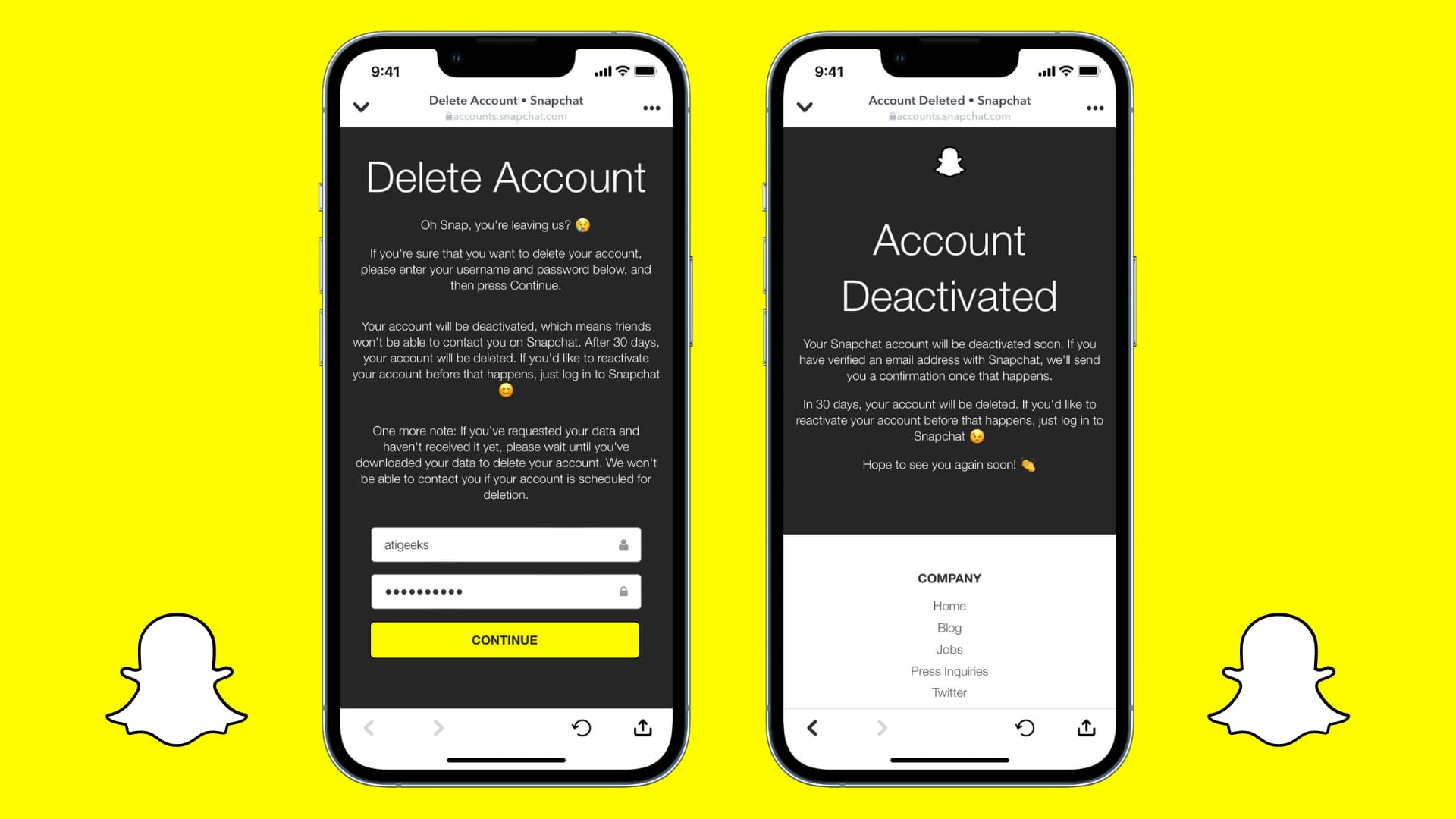
Are you ready to bid farewell to Snapchat and permanently delete your account? Deleting your Snapchat account can be a straightforward process, but sometimes users encounter issues or have questions about the deletion process. In this article, we'll address common queries and provide step-by-step instructions for deleting your account, as well as tips on deleting individual snaps.
**How Do I Permanently Delete My Snapchat Account?**
Deleting your Snapchat account permanently involves a few simple steps. Here's how to do it:
1. **Access Snapchat's Website:** Go to [www.snapchat.com](https://www.snapchat.com) using a web browser on your computer or mobile device.
2. **Log In:** Enter your Snapchat username and password to log in to your account.
3. **Navigate to Account Settings:** Click on your profile icon or Bitmoji in the top-left corner to access the dropdown menu, then select "Settings."
4. **Find Account Actions:** Scroll down until you find the "Account Actions" section.
5. **Select "Delete My Account":** Within "Account Actions," choose "Delete my Account."
6. **Confirm Your Decision:** Snapchat will ask you to confirm your decision. Read the information provided, enter your password, and confirm once more.
7. **Wait for Confirmation Email:** After confirming, Snapchat will send a confirmation email to the address associated with your account.
8. **Account Deletion Complete:** Once you receive the confirmation email, your Snapchat account has been successfully deleted.
**Why Can't I Delete My Snapchat Account?**
Some users may encounter difficulties when attempting to delete their Snapchat accounts. Common reasons include:
- **Incorrect Login Information:** Ensure you're using the correct username and password to log in to your account.
- **Temporary Lockout:** If you've recently changed your password or made other account changes, Snapchat may temporarily lock your account for security purposes. Wait a while before attempting to delete your account again.
- **Pending Payments or Orders:** If you have pending payments or orders associated with your Snapchat account, you may need to resolve them before deleting your account.
- **Technical Glitches:** Occasionally, technical issues on Snapchat's end may prevent users from deleting their accounts. In such cases, try again later or contact Snapchat support for assistance.
**How Do You Delete Snapchat for Free?**
Deleting your Snapchat account is entirely free of charge. Follow the steps outlined above to delete your account without incurring any fees.
**How to Delete a Snap?**
Deleting individual snaps (sent or received) is also possible on Snapchat:
- **Sent Snaps:** If you've sent a snap to someone and want to delete it before they view it, tap on the chat where the snap was sent, press and hold on the snap, and select "Delete" from the options.
- **Received Snaps:** If you've received a snap that you want to delete, simply tap and hold on the snap, then select "Delete" from the options.
Deleting a snap will remove it from both your device and the recipient's device, provided they haven't already viewed it.

In conclusion, deleting your Snapchat account is a relatively simple process, but it's essential to follow the correct steps to ensure it's done securely and permanently. If you encounter any difficulties, refer to Snapchat's help resources or contact their support team for assistance.
Comments
Post a Comment